The URL is not valid.
The Latitude is not valid.
The Longitude is not valid.
Duplicate key: This short link already exists.

SupaQR
Create Your Free Custom Dynamic QR Codes for link, images or PDF files

Create Your Free Custom Dynamic QR Codes for link, images or PDF files

supaqr.com
SupaQR
Create Your Free Custom Dynamic QR Codes for link, images or PDF files
How to Create a Google Maps QR Code and Short URL
Creating a Google Maps QR code is a fantastic way to quickly share a location with others. Whether it's for an event, a business address, or a personal meeting spot, a QR code makes it easy for anyone to find their way with a simple scan. Our tool also provides a short URL, giving you another convenient option for sharing.
What Is a Google Maps QR Code?
A Google Maps QR code is a scannable image that directs users to a specific location on Google Maps. Instead of typing out a long address or fumbling with a pin, people can simply point their smartphone camera at the QR code and instantly open the location on their phone's map app. It's an efficient and error-free way to share directions, making navigation seamless for everyone involved.

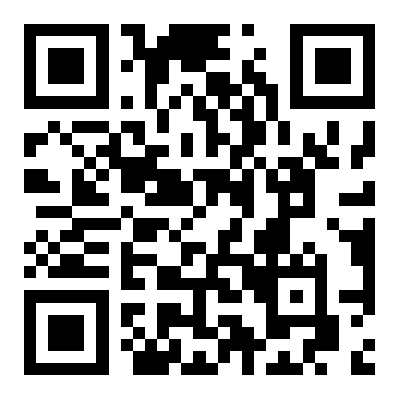
Google Maps QR Code Example
How to Create a Google Maps QR Code
Creating your own Google Maps QR code is a straightforward process with our generator. Follow these simple steps:
Find your location
Go to Google Maps, find the address or location you want to share, and copy the URL from your browser's address bar.
Paste the URL
Paste the Google Maps URL into the designated field on our generator.
Customize (Optional)
You can customize the appearance of your QR code by changing colors, adding a logo, or adjusting the frame.
Generate
Click the "Generate" button. Our tool will instantly create your unique Google Maps QR code and a corresponding short URL.
Download
Download the QR code in your preferred format (PNG, SVG, etc.) and copy the short URL.
What Are the Benefits of Google Maps QR Codes?
Using QR codes for locations offers several key advantages:
Convenience
It eliminates the need for manual data entry, saving time and preventing typos. Users can get directions with a single scan.
Accessibility
Anyone with a smartphone can use a QR code, regardless of technical skill. It's a universally understood method of sharing information.
Professionalism
Integrating a QR code into your marketing materials or event invitations shows that your organization is tech-savvy and focused on user experience.
Data Tracking
When created with a dynamic QR code generator, you can track how many times the code has been scanned, providing valuable insights for marketing campaigns.
Use Cases for Google Maps QR Codes
Google Maps QR codes can be used in a wide variety of contexts:

Business Cards
Add a QR code to your business card so clients can easily find your office location.
Event Invitations
Direct attendees to the exact venue for weddings, conferences, or parties.
Real Estate
Place QR codes on property listings so potential buyers can get instant directions to the location.
Menus and Brochures
Restaurants can use a QR code to direct customers to their location, while tourist brochures can guide visitors to landmarks.
Retail and Hospitality
Help customers find your store or hotel easily, improving their overall experience.
Your questions, answered
Answers to the most frequently asked questions.
A **location QR code** is a special type of QR code that directs users to a specific geographic point on a map when scanned. It's a quick and simple way to share directions to your business, an event venue, or any other place.
SupaQR — The Best Google Maps QR Code Generator
At SupaQR, we believe in providing a seamless and powerful QR code solution. Our generator is not only fast and easy to use but also offers advanced customization and reliability. We are dedicated to helping you create the best Google Maps QR code to meet your needs, ensuring your location sharing is always efficient and effective.